Services

CHIP TECHNOCRATES, provides a full suite of MacBook repairs and enhancements, addressing the most common issues and beyond. Our services include:

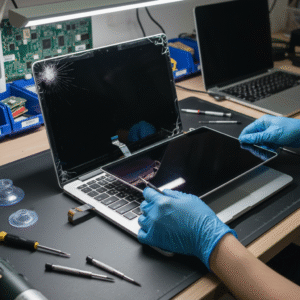
Screen Replacement

Screen replacement is a common service when a MacBook’s display gets damaged, cracked, or stops working properly. It involves removing the old, faulty screen and fitting a new, fully functional one, bringing your MacBook back to life with clear, vibrant visuals.

At CHIP TECHNOCRATES, screen replacement is handled with great care and expertise. Our technicians first inspect your MacBook to confirm that the screen is the issue. Every MacBook model is unique, so we ensure the replacement screen matches exactly for compatibility and quality.

The process begins by powering off the MacBook safely and opening the device’s casing with specialized tools. We disconnect the battery to prevent any electrical damage during the repair. Then, the damaged screen is carefully detached by loosening screws and disconnecting delicate cables that link the display to the MacBook’s internal components. Sometimes, softening adhesives with gentle heat is needed to remove the screen safely.

After the old screen is removed, the new screen is aligned and connected with precision. All cables and connectors are firmly reattached to avoid issues like flickering or no signal. The MacBook is then powered on to test the new screen’s brightness, color, and touch.

Finally, the MacBook is reassembled, cleaned, and returned with a flawless display. Choosing professional screen replacement at CHIP TECHNOCRATES means your MacBook gets back its full visual glory, handled with care, genuine parts, and expert skill to ensure lasting performance.

Battery Replacement

Battery replacement in a MacBook is a crucial service designed to restore your device’s power life and ensure it runs efficiently throughout the day. Over time, MacBook batteries naturally degrade, causing shorter usage times and sometimes unexpected shutdowns. When this happens, replacing the battery is the best way to regain optimal performance.

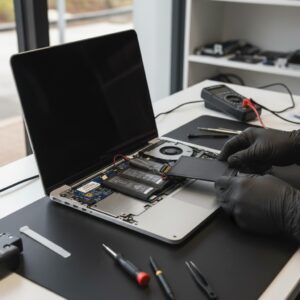
At CHIP TECHNOCRATES, we handle MacBook battery replacements with precision and care. The process begins with powering off your MacBook completely and removing any connected cables or accessories. We then carefully open the back cover using specialized screwdrivers designed for Apple devices.

Inside, the battery is safely disconnected from the logic board to prevent any electrical damage. In many MacBook models, batteries are secured with strong adhesive strips. Our technicians use gentle techniques, sometimes applying safe solvents, to soften the adhesive and carefully lift the battery out without bending or damaging it.

Next, the new, high-quality battery—chosen to perfectly match your MacBook model—is positioned and secured. We reconnect the battery connector and reassemble the MacBook, ensuring every cable and screw is precisely back in place.

Once reassembled, the MacBook is powered on and the new battery is tested for proper charging and performance. We also recommend calibrating the battery by fully charging and discharging it to maximize its lifespan.

Professional battery replacement at CHIP TECHNOCRATES ensures your MacBook is safe, reliable, and ready to power through your day with renewed energy. This service helps extend the life of your MacBook and gives you confidence that your device’s battery won’t let you down.

Keyboard and Trackpad Repair

Keyboard and trackpad repair in a MacBook is a detailed process focused on restoring the smooth, responsive, and precise input experience that Apple users rely on every day. These two components are key to navigating and interacting with the MacBook, so when either stops working correctly—whether keys stick, won’t respond, or the trackpad fails to click or move properly—the entire device feels disrupted.

At CHIP TECHNOCRATES, we begin keyboard and trackpad repairs by first diagnosing the exact issue. Sometimes cleaning the keyboard and trackpad surface removes dust, debris, or spills that block sensors or keys. If software or settings issues cause malfunction, resetting system controls like the SMC and NVRAM can often restore normal function.

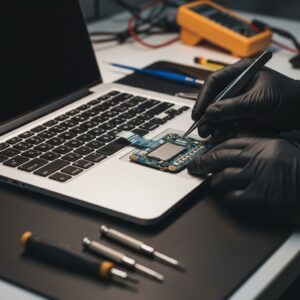
For hardware problems, such as unresponsive keys, jammed clicks, or erratic cursor movement, our technicians carefully open the MacBook to inspect underlying components. The keyboard and trackpad lie beneath the top case, often connected by delicate flex cables to the logic board. These connectors can sometimes come loose or wear out, and replacing or reseating them often solves input issues.

In cases of physical damage or faulty parts, we replace the keyboard or trackpad with precision. For some MacBook models, this means replacing the entire top case assembly, including the keyboard and trackpad, to maintain the device’s seamless design and internal integrity. For others, individual parts or cables can be swapped.

After repair or replacement, thorough testing ensures every key registers correctly and the trackpad responds smoothly to clicks, taps, and multi-touch gestures. At CHIP TECHNOCRATES, this attention to detail means users regain the tactile and intuitive interaction that makes MacBook so enjoyable to use, with repairs done carefully to preserve the sleek design and durability of their device.

Motherboard Repair

Lorem ipsum dolor sit amet, consectetur adipiscing elit. Ut elit tellus, luctus nec ullamcorper mattis, pulvinar dapibus leo.

Performance Upgrades

Lorem ipsum dolor sit amet, consectetur adipiscing elit. Ut elit tellus, luctus nec ullamcorper mattis, pulvinar dapibus leo.

Data Rescue and Migration

Lorem ipsum dolor sit amet, consectetur adipiscing elit. Ut elit tellus, luctus nec ullamcorper mattis, pulvinar dapibus leo.

macOS Support

Lorem ipsum dolor sit amet, consectetur adipiscing elit. Ut elit tellus, luctus nec ullamcorper mattis, pulvinar dapibus leo.

Scroll to Top